
How Can a CDL Driver Onboarding App Keep Your Digital DQ Files DOT Audit-Ready?
- Jonathan Vogt
- Jun 9
- 6 min read


Efficient compliance management is essential for modern transportation operations. A digital driver qualification (DQ) file consolidates the records carriers need to meet Federal Motor Carrier Safety Administration (FMCSA) and Department of Transportation (DOT) requirements. Implementing CDL driver onboarding software streamlines DQ file creation and maintenance, reduces manual paperwork, and helps close compliance gaps.
We explain how digital DQ files work, the FMCSA documents they must contain, and how onboarding software uses automation and real-time monitoring to keep files audit-ready.
What Is a Digital Driver Qualification File and Its Role in DOT Audit Compliance?
A digital driver qualification (DQ) file is an electronic record that stores all documentation related to a commercial driver’s qualifications. It consolidates items such as medical certificates, driving history, and safety records into a single, accessible repository. During DOT inspections and audits, these files enable quick verification of compliance with federal rules, support safety oversight, and help avoid penalties.
How Does FMCSA Require Digital DQ Files for Driver Qualification?
The FMCSA requires carriers to maintain driver qualification records that demonstrate eligibility to operate commercially. Digital DQ files must be complete, accurate, and available for inspection so auditors can verify each driver’s qualifications. Using effective digital management supports regulatory compliance while improving operational efficiency.
What Documents Must Be Included in a Digital DQ File?
A comprehensive digital DQ file should include a range of documents critical for compliance with FMCSA regulations, such as:
Application for Employment: Essential for assessing the driver's history and qualifications.
Driving Records: Must be obtained from previous employers and state agencies to validate driving experience.
Medical Exam Certificates: Demonstrating that the driver meets health and safety requirements as per DOT standards.
Service History: Documenting the driver's employment and any relevant background checks.
These elements form the core of a compliant DQ file and support transparent verification during audits.
How Does CDL Driver Onboarding Software Streamline Digital DQ File Management?
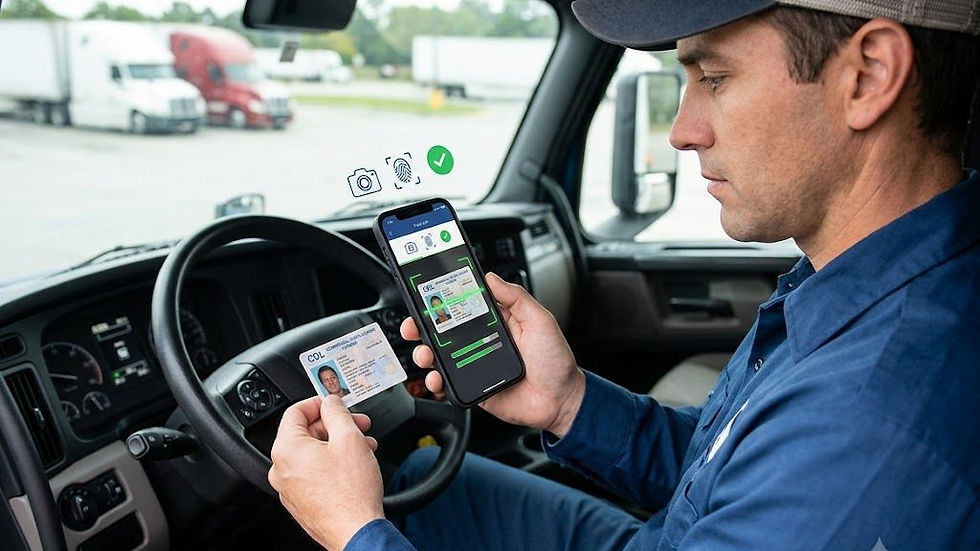
Onboarding software centralizes document storage and simplifies the application process so drivers submit their information once. Automation reduces redundant data entry and errors, while renewal alerts keep records current. This central repository improves accessibility during audits and lowers administrative workload.
Which Features Automate Document Uploads and Compliance Tracking?
Automation in onboarding software improves DQ file management by enforcing timely uploads and tracking document status. Typical capabilities include:
Document Upload Automation: Drivers can upload required documents directly into their digital DQ file, ensuring that all necessary information is stored in one place.
Compliance Tracking Features: The software continuously monitors the status of each document, sending alerts for upcoming expirations or needed renewals.
Integration of Background Checks: Automated processes simplify the collection of background checks and other necessitated documentation, ensuring compliance without added workload on staff.
How Does Real-Time Compliance Status Visibility Help Carriers and Drivers?
Real-time compliance visibility allows carriers and drivers to identify gaps before they become violations. Carriers can prioritise corrective actions ahead of audits, reducing risk and potential fines. Drivers gain clarity on their qualification status, supporting safer, more reliable operations and smoother communication with management.
What Are the Benefits of Using Trucking Carrier Onboarding Apps for DOT Audit Readiness?
Using trucking carrier onboarding apps strengthens DOT audit readiness through:
Enhanced Compliance: Streamlining document submissions and tracking ensures that all necessary documentation is complete and accurate.
Improved Efficiency: Automating the onboarding process reduces the time and effort required for manual record-keeping, allowing staff to focus on core business functions.
Risk Management Support: By maintaining updated DQ files and compliance records, companies mitigate the risks associated with regulatory inspections.
These benefits reduce administrative load, lower compliance risk, and help maintain uninterrupted operations.
How Does Digital Onboarding Reduce Manual Paperwork and Audit Failures?
Digital onboarding automates document collection and management, which decreases manual errors that lead to audit failures. Centralized storage makes retrieval straightforward during inspections, saving time for compliance teams and reducing the chance of missing or inconsistent records.
Can Electronic DQ Files Fully Replace Paper Records for FMCSA Audits?
Electronic DQ files can replace paper records for FMCSA audits when they meet regulatory requirements for documentation, accessibility, and retention. Properly configured digital systems securely store sensitive records and support a compliant transition from paper to electronic workflows.
How Do FMCSA Driver Onboarding Solutions Ensure Data Security and Compliance?
Given the sensitivity of DQ file data, onboarding solutions implement secure data practices to protect information and support compliance. Common measures include:
Data Encryption: Safeguarding sensitive information with encryption ensures that unauthorized access is prevented.
Compliance with Regulations: Solutions are designed to adhere to industry standards regarding data protection, minimizing legal risks associated with breaches.
User Privacy Policies: Robust privacy policies protect user data and outline how information will be used and stored, reassuring both drivers and carriers about data handling.
What Security Measures Protect Driver Qualification Data in Onboarding Apps?
Typical security controls include:
Encryption: Protecting data during transmission and storage to prevent unauthorized access.
Access Controls: Ensuring that only authorized personnel can access sensitive information, mitigating the risk of data leaks.
Security Audits: Regular audits of the software and processes to identify vulnerabilities and ensure compliance with security standards.
These controls build trust with drivers and carriers by protecting sensitive records and demonstrating sound governance.
How Do Ready App and Competitors Address FMCSA Audit Protocol Updates?
Ready App and comparable providers monitor regulatory changes and update their platforms to reflect new FMCSA audit protocols. Timely feature updates and regulatory alignment help users maintain compliance and adapt operational procedures as requirements evolve.
What Best Practices Support Maintaining Audit-Ready Digital DQ Files Using Onboarding Software?
Adopt these best practices to keep DQ files audit-ready:
Centralized Document Management: Using a single platform for all documents helps avoid discrepancies.
Regular Audits: Conducting routine checks on DQ files allows organizations to maintain compliance continuously.
Automated Reminders: Setting up reminders for document renewals ensures that all necessary qualifications are up-to-date without manual tracking.
Following these steps maintains compliance integrity and makes audits more manageable.
How to Schedule Automated Document Reminders and Status Reviews?
Onboarding platforms let administrators configure automated reminders and review schedules for document expirations and status checks. Setting these parameters ensures timely notifications, drives proactive compliance, and supports coordinated oversight between drivers and management.
What Steps Integrate Digital Files with Fleet Management and Compliance Reports?
Integrating digital DQ files with fleet management systems improves reporting and operational oversight. Common integration methods include data synchronisation, API connections, and standardised export formats to ensure records flow smoothly between systems.
When integrated, compliance tracking becomes part of daily operations rather than an isolated task, enabling faster responses to issues.
Which Common Questions Do Truck Drivers and Carriers Ask About Digital DQ File Management?
Typical questions focus on access, verification, and required documentation. Drivers ask how to confirm their compliance status; carriers ask what documents auditors will inspect. Clear guidance and accessible records reduce uncertainty for both parties.
For drivers needing to understand their options, resources on driver qualifications and onboarding are readily available.
Brokers can also find valuable information on how to streamline their interactions on the broker portal.
Additionally, exploring comprehensive lists of load boards can further assist in operational efficiency.
Frequently Asked Questions
1. What are the key advantages of switching from paper-based to digital DQ files?
Moving from paper to digital DQ files improves accessibility, enables real-time updates, and strengthens compliance management. Digital records speed verification during audits, reduce manual errors, and ensure files remain current through automation.
2. How can carriers train drivers to effectively use onboarding software?
Effective training combines hands-on sessions, user guides, and video tutorials. Emphasize the steps for document uploads, the importance of keeping records current, and provide support channels—such as dedicated staff or online chat—to resolve technical issues.
3. What are the implications of non-compliance in DQ file management?
Non-compliance can result in fines, increased audit scrutiny, and potential suspension of operating authority. Missing or inconsistent documentation can disqualify drivers and disrupt operations, damaging reputation and client relationships.
4. How does digital DQ file management facilitate better communication between carriers and drivers?
Digital DQ files provide shared visibility into compliance status and document needs. Drivers can verify their records independently, and carriers can issue document requests through the platform. This transparency improves accountability and streamlines coordination.
5. Are there specific technical requirements for using CDL onboarding software?
Typical requirements include a reliable internet connection, a compatible device (smartphone, tablet, or computer), and an up-to-date web browser. Vendors may specify additional system requirements to ensure full functionality.
6. How often should digital DQ files be reviewed for accuracy?
Review DQ files at least quarterly, and more frequently when regulations or personnel change. Regular reviews help identify outdated or missing documents and ensure readiness ahead of audits.
7. What role do analytics play in managing digital DQ files?
Analytics identify compliance trends, highlight expiring documents, and reveal process bottlenecks. Tracking metrics such as expiry rates and submission patterns enables proactive risk management and continuous improvement in onboarding workflows.
Conclusion
CDL driver onboarding software simplifies DQ file management while supporting regulatory compliance and operational efficiency. By reducing administrative tasks and improving record accuracy, carriers can focus on core operations with greater confidence in audit readiness. Contact Ready App to explore advanced onboarding solutions to strengthen your compliance processes and transition to reliable digital file management.


Comments